Pedigree builder
The Pedigree Builder is a relationship-aware panel for building families fast. Drag a symbol from its palette to start a tree, then select any individual and the panel offers one-click actions for every plausible relative — spouses, children, siblings, parents, grandparents, and twins — without you having to wire up the lines by hand.
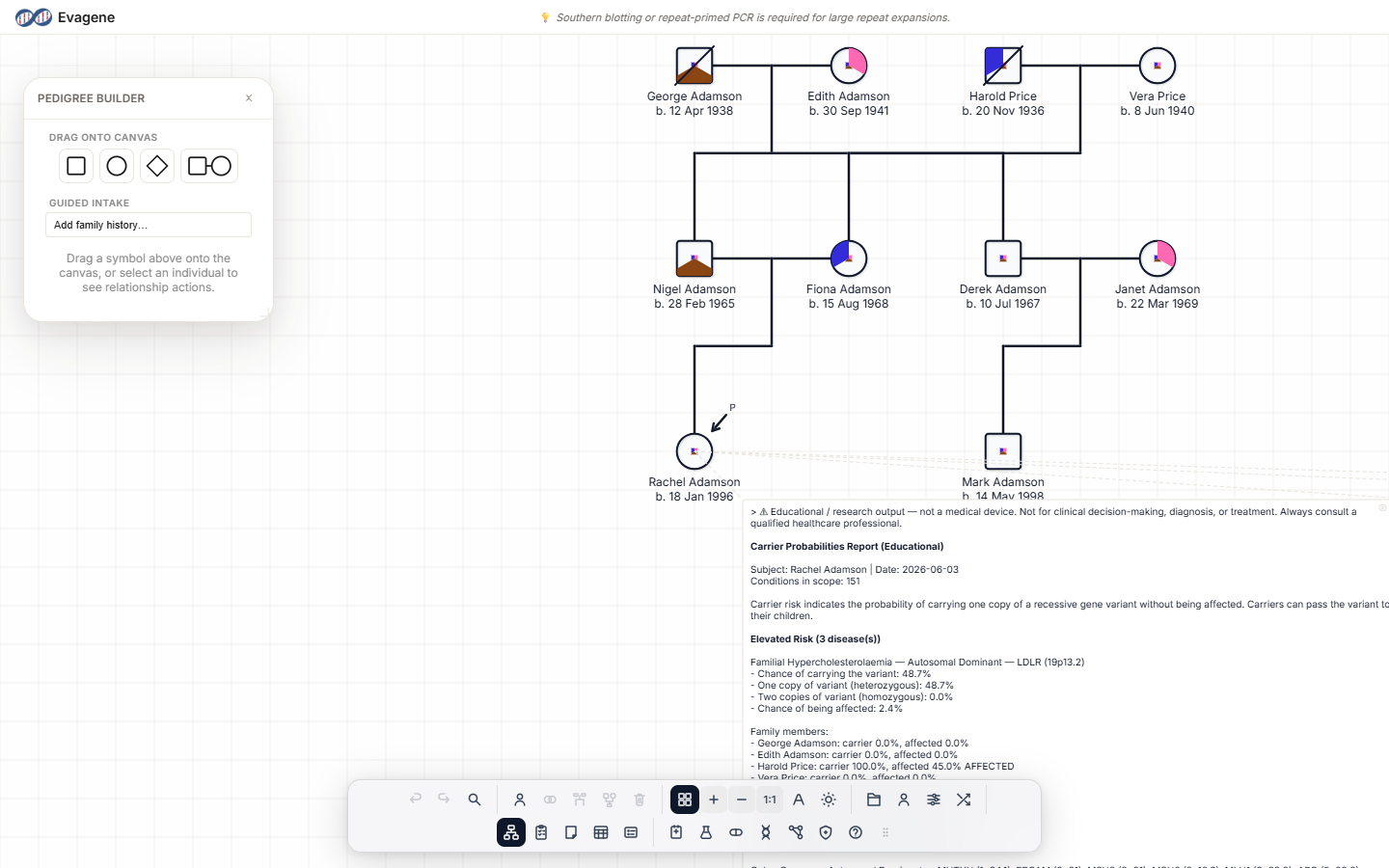
Where to find it
Open the builder with the Pedigree builder button in the Structure group of the dock. A floating Pedigree Builder panel appears; like every dock panel it is draggable, resizable from any edge or corner, and its dock icon highlights while the panel is open. Drag it to a comfortable spot beside your canvas and leave it open as you work.
The drag-onto-canvas palette
The panel always shows a Drag onto canvas palette of four drag-only tiles. These start a new tree or drop a fresh symbol anywhere — drag one onto the canvas to place it:
| Tile | Drops |
|---|---|
| Drag to add male | A single male individual (square). |
| Drag to add female | A single female individual (circle). |
| Drag to add unknown sex | A single individual of unknown sex (diamond). |
| Drag to add a marriage (male + female) | A married couple — a male and a female joined by a partnership line. |
With nothing selected, the panel shows a hint: “Drag a symbol above onto the canvas, or select an individual to see relationship actions.”
Relationship actions for the selected individual
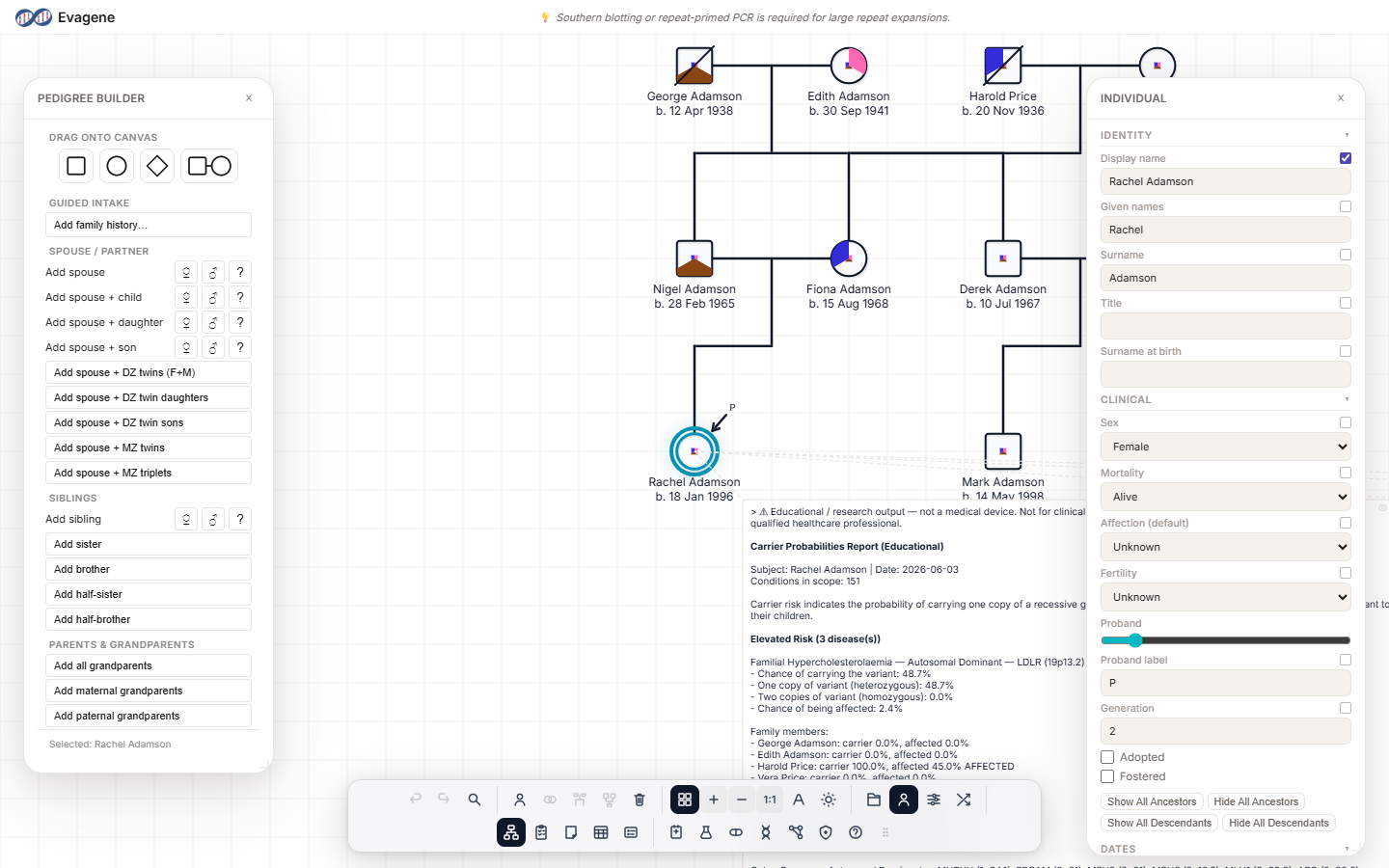
Select one individual on the canvas and the builder fills with relationship groups. Each action adds the named relative, already connected. Rows that involve a sex choice offer small ♀ / ♂ / ? buttons so you can set female, male, or unknown as you add.
Spouse / Partner
- Add spouse
- Add spouse + child, Add spouse + daughter, Add spouse + son
- Add spouse + DZ twins (F+M), Add spouse + DZ twin daughters, Add spouse + DZ twin sons
- Add spouse + MZ twins, Add spouse + MZ triplets
Children — only if the person already has a spouse
- Add child, Add daughter, Add son
These appear only once the selected individual is partnered, because a child needs a couple to descend from. If you do not see them, add a spouse first.
Siblings
- Add sibling, Add sister, Add brother
- Add half-sister, Add half-brother
Parents & Grandparents
- Add parents, Add adoptive parents, Add mother, Add father
- Add all grandparents, Add maternal grandparents, Add paternal grandparents
A footer at the bottom of the panel confirms who the actions apply to, reading Selected: {name}.
Worked example · Build a nuclear family
We will build a fictional family — the Castellanos household: two parents, a son and a daughter — using only the Pedigree Builder.
- 1Open the builder. Click Pedigree builder in the dock. The floating Pedigree Builder panel opens with its Drag onto canvas palette.
- 2Place the father. Drag the Drag to add male tile onto the canvas. A male symbol appears — this is Mr Castellanos.
- 3Select him. Click the new male. The panel switches to relationship actions and the footer reads Selected: {name}.
- 4Add a spouse and a son. Under Spouse / Partner click Add spouse + son. A wife and a son appear, joined to him.
- 5Add a daughter. With the father still selected, the Children group is now available (he has a spouse). Click Add child to add a daughter to the couple.
- 6Add the grandparents’ generation. Select the father again and click Add parents under Parents & Grandparents to place his mother and father above.
Good to know. The Children group appears only when the selected individual already has a spouse — a child needs a couple to descend from. If Add child is missing, add a partner first with Add spouse, then the children actions become available.
About Evagene. Evagene is an academic, research, and educational pedigree modelling platform. It is not a medical device and is not intended to diagnose, prevent, monitor, predict, treat, or manage disease, or to determine eligibility for screening, testing, referral, or treatment, or to replace professional clinical judgement. Outputs are illustrative and for educational / research purposes only.