Disease catalogue
Add diseases to your pedigree's working set, then document them on individuals with affection status and manifestations. The catalogue spans 230+ diseases, including 20+ complex / polygenic conditions. Inheritance labels here are descriptive shorthand for documenting a fictional family's history — not screening or clinical guidance.
The two-level pattern
Like every catalogue in Evagene, diseases work in two levels — keep them straight and the rest is easy:
- Pedigree level (the Manager panel). The Disease Manager chooses which catalogue entries are active for the whole pedigree. Ticking a disease here adds it to the pedigree's working set; it does not record anything on any person.
- Individual level (the properties panel). The actual record on a person — their affection status, site, manifestations — is added in the Individual properties panel, in its Diseases section.
So the workflow is always: activate the disease for the pedigree, then document it on the relevant individual.
Where to find it
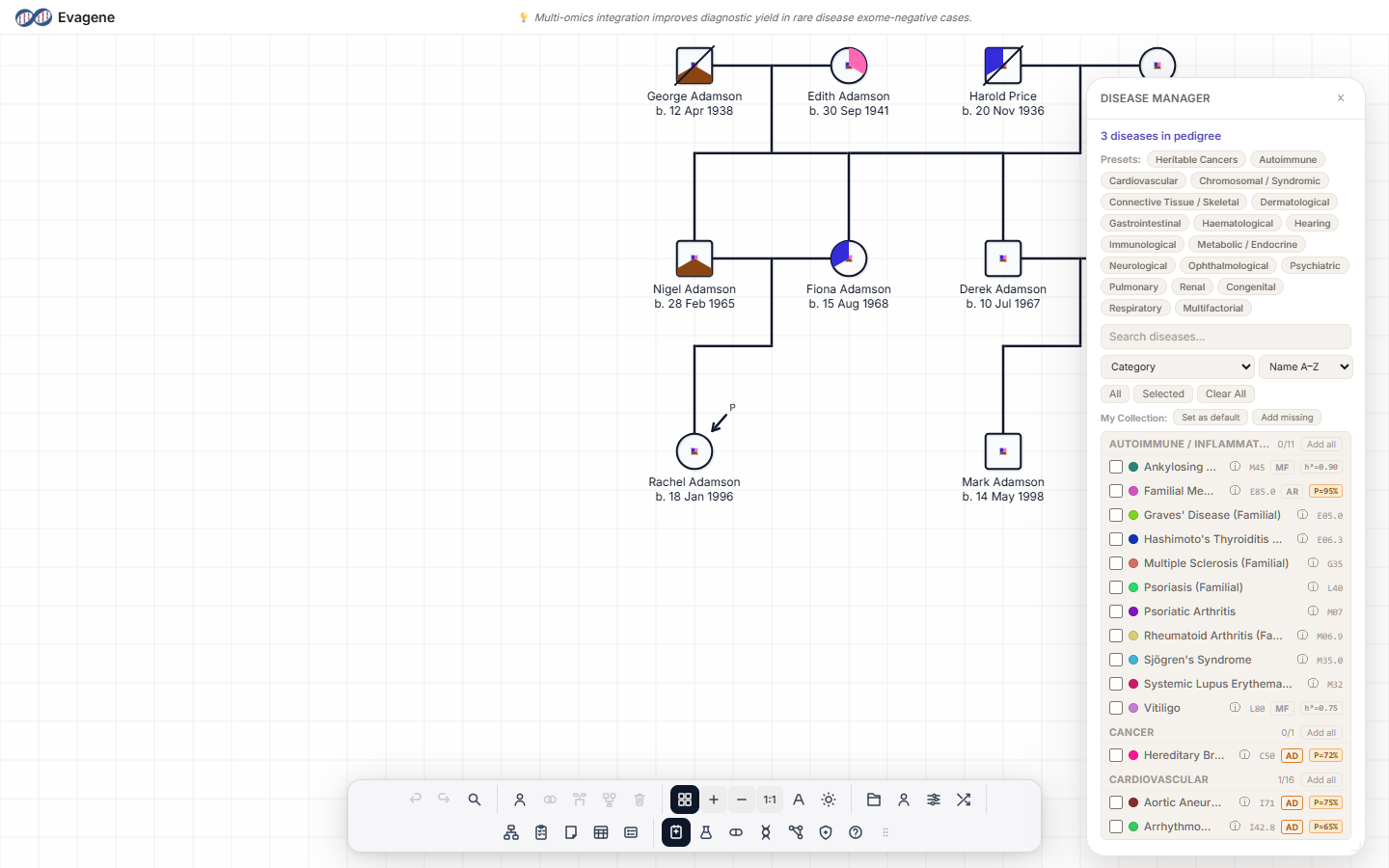
Open the Disease catalog button in the dock (keyboard shortcut d). It opens the floating Disease Manager panel, which is draggable and resizable; the dock button highlights while it is open. To document a disease on a person, select the individual on the canvas and open the Diseases section of the Individual properties panel.
The Disease Manager (pedigree level)
The panel opens with a summary reading “N diseases in pedigree”. Above the list you have:
- A Presets row of quick-add buttons.
- A “Search diseases…” box.
- A Group-by dropdown: Category, Etiological (Cause), Anatomical (System), Pathological (Process), Physiological (Function), Epidemiological (Pattern), ICD-10.
- A Sort dropdown: Name A–Z, Name Z–A, ICD-10 Code.
- Quick filters: All / Selected / Clear All.
- A My Collection row: Set as default, Add missing.
- A grouped list where each group header has an Add all / Remove all toggle.
Each disease row carries a checkbox (adds or removes the disease from the pedigree), a colour dot you can recolour, the name with an ⓘ help link, an ICD-10 code, a sex glyph, an inheritance badge, and penetrance / heritability badges. Rows can be dragged straight onto an individual on the canvas.
Inheritance badges
The inheritance badge is a descriptive label for documentation; it does not imply a prediction. The values are:
| Badge | Descriptive meaning |
|---|---|
| AD | Autosomal dominant |
| AR | Autosomal recessive |
| XD | X-linked dominant |
| XR | X-linked recessive |
| MT | Mitochondrial |
| MF | Multifactorial |
| Polyg | Polygenic |
| Olig | Oligogenic |
| Rob | Robertsonian translocation |
| Rec-t | Reciprocal translocation |
| Di | Digenic |
| Imp | Imprinted |
Recording a disease on a person (individual level)
Select an individual and open the Diseases section of the Individual properties panel. Click + Add Disease and pick from the popup. If the disease is sex-specific and mismatches the individual, a Sex mismatch modal appears. Expand the disease row to document:
- Affection — Unknown, Clear, Affected, Possible affection, Heterozygous, Affected (hearsay), Carrier, Examined, Untested, Immune, Presymptomatic, Other.
- Laterality — (none), Unknown, Left, Right, Bilateral, N/A.
- Site — free text (e.g. breast, ovary, colon).
- Tumour properties — ER status, PR status, HER2 status, each (none) / + / − / ?.
- Origin — (not recorded), Inherited, De novo, Inherited from mosaic parent, Germline mosaic, Somatic mosaic, Unknown. Choosing a mosaic option reveals VAF and Sample tissue fields.
Manifestations
Under Manifestations, click + Add Manifestation to record a single observation:
- Date.
- Status — Unknown, Presymptomatic, Symptomatic, Uninvasive Test, Invasive Test, Positive Confirmation, Negative Confirmation, Ambiguous Test Outcome, Other.
- Certainty — Unknown, Hearsay, Evidence, Proven, Other.
- Certainty notes.
- Numeric value.
- Linked tests.
Worked example · Record an affected relative
We will document cystic fibrosis (an autosomal-recessive condition) on a child in a fictional family — using both levels in turn. No real, named person is involved.
- 1Open the Disease Manager. Press
d(or click Disease catalog in the dock). - 2Add the disease to the pedigree. Type cystic fibrosis in the Search diseases… box and tick its checkbox to add it to the pedigree's working set.
- 3Close the manager. Then click the affected child on the canvas to open its Individual properties panel.
- 4Add the record. Open the Diseases section, click + Add Disease, and choose Cystic fibrosis.
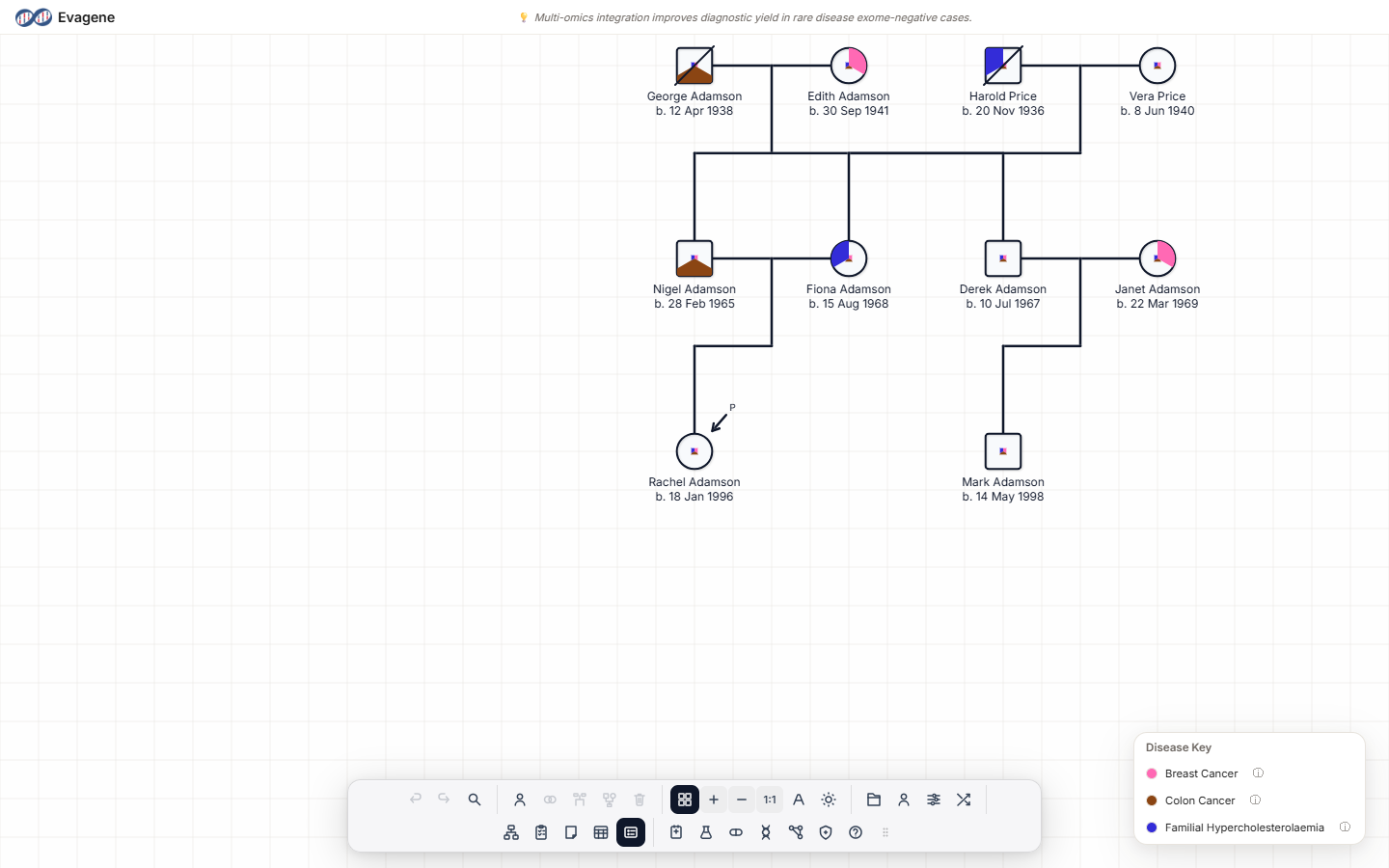
- 5Set affection. Expand the row and set Affection to Affected. The symbol fills to reflect the documented status.
Good to know. A disease must be active in the pedigree before you can record it on a person — the + Add Disease popup only lists diseases you have ticked in the Disease Manager. If a condition is missing, reopen the manager and add it (or use Add missing under My Collection) first. Tumour records hold only ER / PR / HER2, laterality, and site — there is no grade, stage, or TNM field.
About Evagene. Evagene is an academic, research, and educational pedigree modelling platform. It is not a medical device and is not intended to diagnose, prevent, monitor, predict, treat, or manage disease, or to determine eligibility for screening, testing, referral, or treatment, or to replace professional clinical judgement. Outputs are illustrative and for educational / research purposes only.