Importing 23andMe data
Bring a 23andMe download into a pedigree — family tree, DNA relatives, and per-person genotype, phenotype, computed, and ancestry data. Two items work on the whole pedigree; four more attach data to a single selected individual.
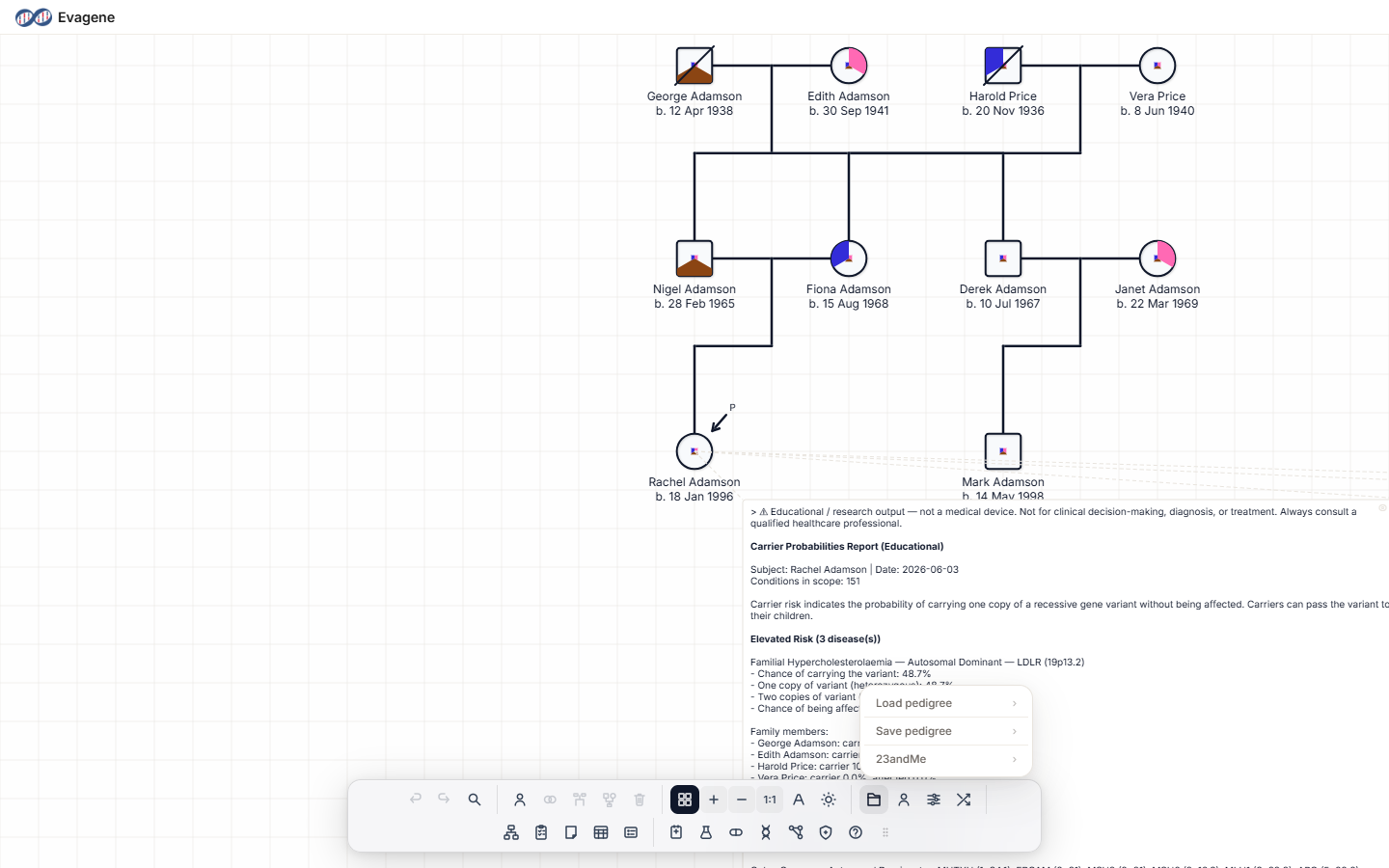
Where to find it
Open the File operations button (the folder icon) in the dock, then the 23andMe submenu.
Whole-pedigree imports
Two items work on the whole pedigree and need nothing selected first:
- Load 23andMe family tree — imports the tree (also reachable from the Load pedigree submenu).
- Load 23andMe DNA relatives — shows a read-only match summary; it does not add anyone to the pedigree.
Per-individual imports
Four further items attach data to one selected individual and require exactly one individual selected first — otherwise a toast says “Select a single individual first”.
| Menu item | File types | What it imports |
|---|---|---|
| Load raw genotype | .txt or .zip | A .zip must be unzipped first. Imports variants as genetic / clinical tests, shows an Import Complete summary, and drops an annotated note on the canvas. |
| Load phenotype data | .csv | Imports profile, diagnosed conditions matched to diseases, and traits, resolving any conflicts one at a time with “Keep Current” / “Use Imported”, then Phenotype Import Complete. |
| Load computed data | .csv | Imports haplogroups, ancestry, and the Neanderthal-variant count, then Computed Data Import Complete. |
| Load ancestry composition | .csv or .txt | Imports ancestry proportions, then Ancestry Composition (N populations). |
Worked example · Add ancestry and genotype to one person
We will attach 23andMe ancestry and raw-genotype data to a single fictional individual — say, the proband “Sam Rivera”.
- 1Select the person. Click Sam Rivera on the canvas so exactly one individual is selected.
- 2Import ancestry. Open File operations → 23andMe → Load ancestry composition and choose the CSV.
- 3Import genotype. Then 23andMe → Load raw genotype and choose the unzipped
.txt. - 4Read the summaries. Review the Ancestry Composition (N populations) and Import Complete summaries that appear after each step.
Good to know. The four per-individual imports need exactly one individual selected — with none or several selected, you will see the toast “Select a single individual first”. Raw genotype must be a .txt; if your download is a .zip, unzip it first. All imported data is illustrative reference material for teaching and research.
About Evagene. Evagene is an academic, research, and educational pedigree modelling platform. It is not a medical device and is not intended to diagnose, prevent, monitor, predict, treat, or manage disease, or to determine eligibility for screening, testing, referral, or treatment, or to replace professional clinical judgement. Outputs are illustrative and for educational / research purposes only.