Exporting & saving
Save your Evagene file, share GEDCOM, and export a picture or document of the pedigree. The image and document export is driven by a single Export Pedigree dialog with tabs for PNG, SVG, PDF, and DOCX.
Where to find it
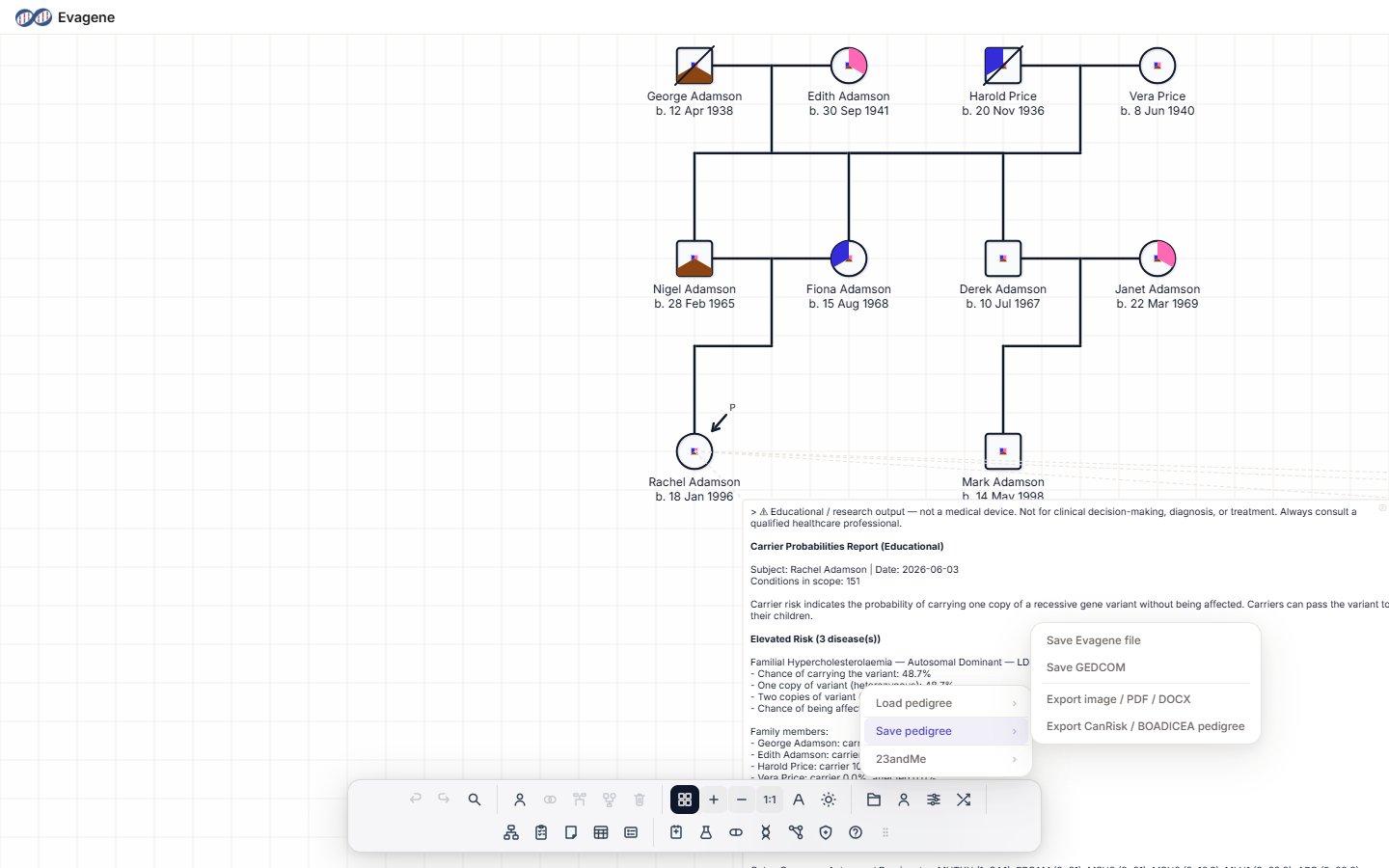
Open the File operations button (the folder icon) in the dock, then the Save pedigree submenu.
Save and export options
The Save pedigree submenu has four entries:
- Save Evagene file (
.json) — if individuals are selected, a Save Pedigree modal offers “Whole pedigree” or “Selection only”. - Save GEDCOM (
.ged) — writes a GEDCOM file for exchange with genealogy tools. - Export image / PDF / DOCX — opens the Export Pedigree dialog (see below).
- Export CanRisk / BOADICEA pedigree — an off-platform file export covered on the CanRisk page.
The Export Pedigree dialog
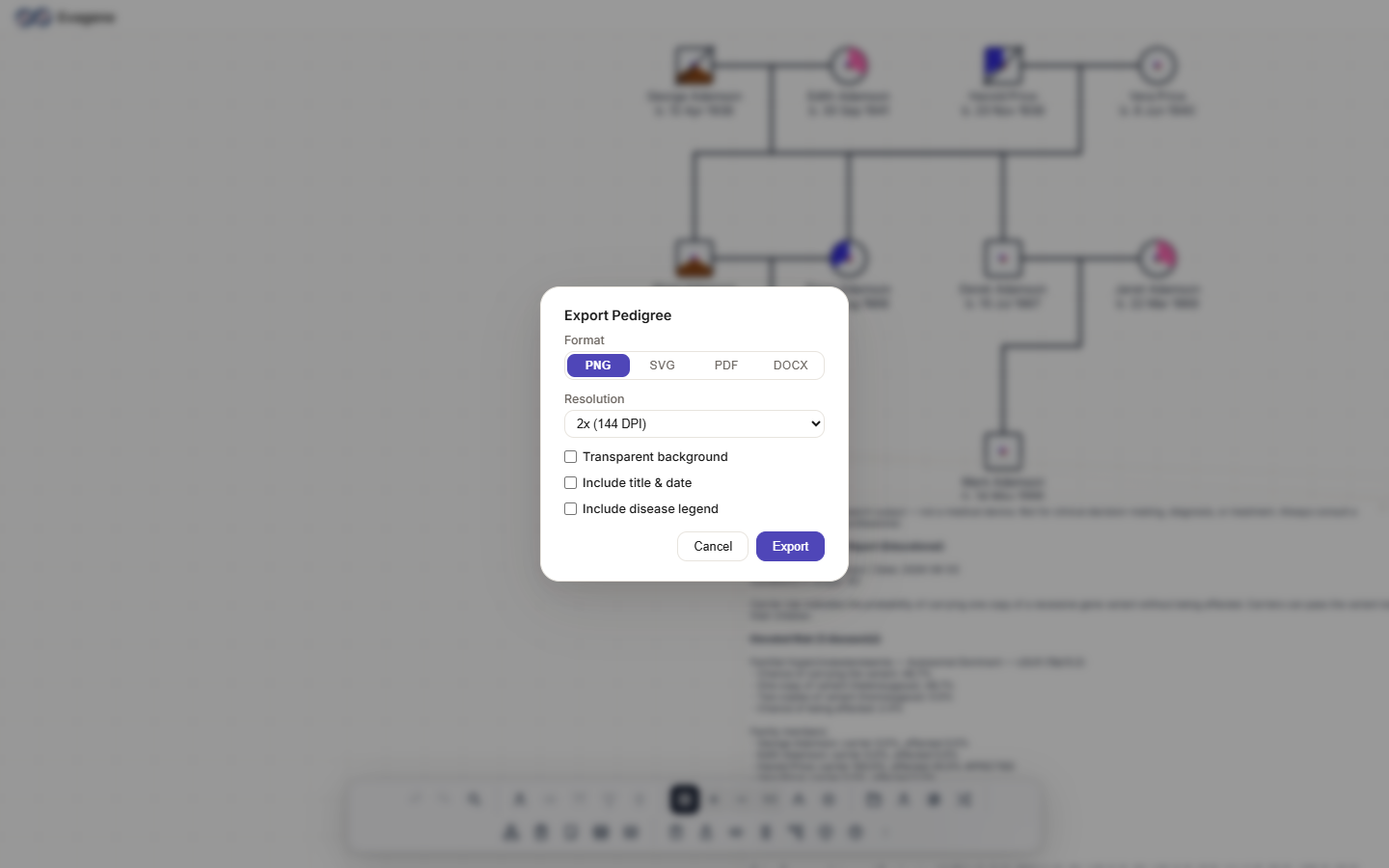
The dialog gathers every picture-and-document control in one place:
| Control | Options |
|---|---|
| Format tabs | PNG / SVG / PDF / DOCX |
| Scope (only if a selection exists) | Entire pedigree / Selection only |
| Resolution (PNG only) | 1x / 2x / 3x / 4x |
| Page size (PDF/DOCX) | A4 / A3 / Letter / Legal |
| Orientation | Auto / Portrait / Landscape |
| Transparent background (PNG/SVG) | On / off |
| Include title & date | On / off |
| Include disease legend | On / off |
| Include notes (DOCX) | On / off |
| Buttons | Cancel / Export |
Every exported file carries an educational-use note / watermark.
Worked example · Export a print-quality PNG
We will export a high-resolution PNG of a fictional family with its title, date, and disease legend.
- 1Open the dialog. Click File operations in the dock, then Save pedigree → Export image / PDF / DOCX.
- 2Pick the format. Stay on the PNG tab.
- 3Set the resolution. Choose Resolution 2x (144 DPI).
- 4Add labels. Tick Include disease legend and Include title & date.
- 5Export. Click Export. To produce a paged document instead, PDF on A4 is one tab across.
Good to know. The Scope control only appears when you have a selection on the canvas — with nothing selected, the whole pedigree is exported. Resolution applies to PNG only, while Page size applies to PDF and DOCX. Every export carries an educational-use note / watermark.
About Evagene. Evagene is an academic, research, and educational pedigree modelling platform. It is not a medical device and is not intended to diagnose, prevent, monitor, predict, treat, or manage disease, or to determine eligibility for screening, testing, referral, or treatment, or to replace professional clinical judgement. Outputs are illustrative and for educational / research purposes only.