Karyotype editor
Record an individual’s karyotype as a standard string, with one-click common presets. The karyotype you set here also appears at the top of the karyogram.
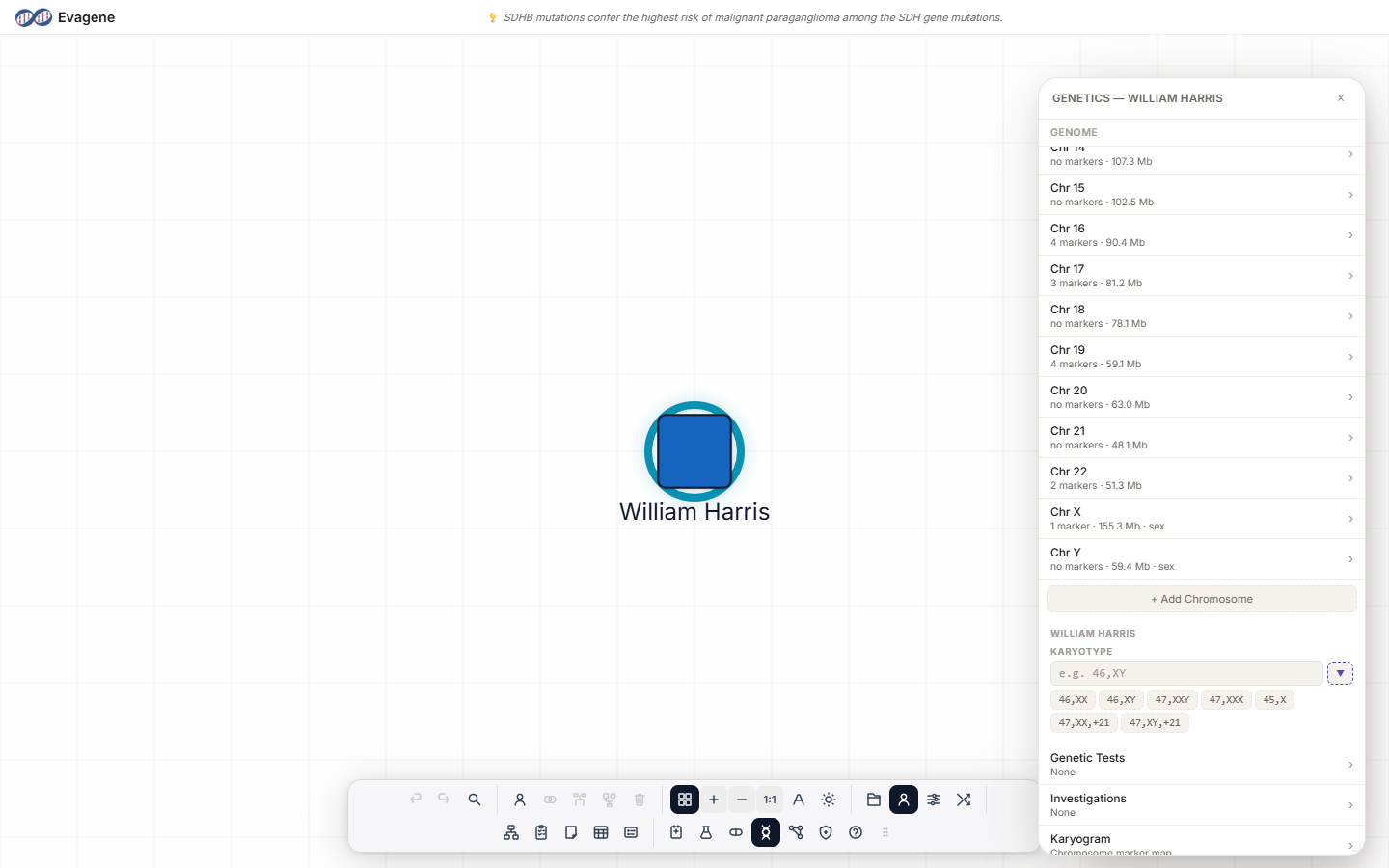
Where to find it
Select an individual, then open the Genetics panel from the dock or by pressing g. With someone selected, the panel’s individual section appears, and within it a KARYOTYPE field — a monospace text box with the placeholder e.g. 46,XY. The field saves as you type. The Genetics panel floats over the canvas and can be dragged, and resized from any edge or corner; its dock icon highlights while it is open.
Typing or picking a karyotype
You can type a karyotype directly into the field, or use the presets. Beside the field a ▼ button titled Common karyotypes opens preset chips. Clicking a chip fills and saves the field. The chips, in order:
| # | Preset chip |
|---|---|
| 1 | 46,XX |
| 2 | 46,XY |
| 3 | 47,XXY |
| 4 | 47,XXX |
| 5 | 45,X |
| 6 | 47,XX,+21 |
| 7 | 47,XY,+21 |
The karyotype also appears read-only at the top of the Karyogram view, so it travels with the ideogram.
Worked example · Set a karyotype
We will set a karyotype on a fictional person using a preset chip.
- 1Select the individual. Click the person on the canvas.
- 2Open Genetics. Press g (or click the dock’s Genetics button). The individual section appears.
- 3Pick a preset. Click the ▼ Common karyotypes button and choose 47,XXY — or type a karyotype directly into the field.
Good to know. The field is free text and saves as you type, so it is not limited to the seven presets — the chips are just shortcuts for the most common karyotypes. Whatever you enter shows read-only at the top of the karyogram view.
About Evagene. Evagene is an academic, research, and educational pedigree modelling platform. It is not a medical device and is not intended to diagnose, prevent, monitor, predict, treat, or manage disease, or to determine eligibility for screening, testing, referral, or treatment, or to replace professional clinical judgement. Outputs are illustrative and for educational / research purposes only.