Dock · Genetics panel
Genetics — markers, karyogram, karyotype & ancestry
The Genetics panel is where you define markers on the genome, record genotypes on people, view the karyogram, set a karyotype, and record ancestry proportions. Open it from the dock’s Genetics button (keyboard shortcut g). The panel floats over the canvas — drag it from any edge or corner, resize it, and watch its dock icon highlight while it is open. Each topic below has its own page with a worked example you can follow on a fictional family.
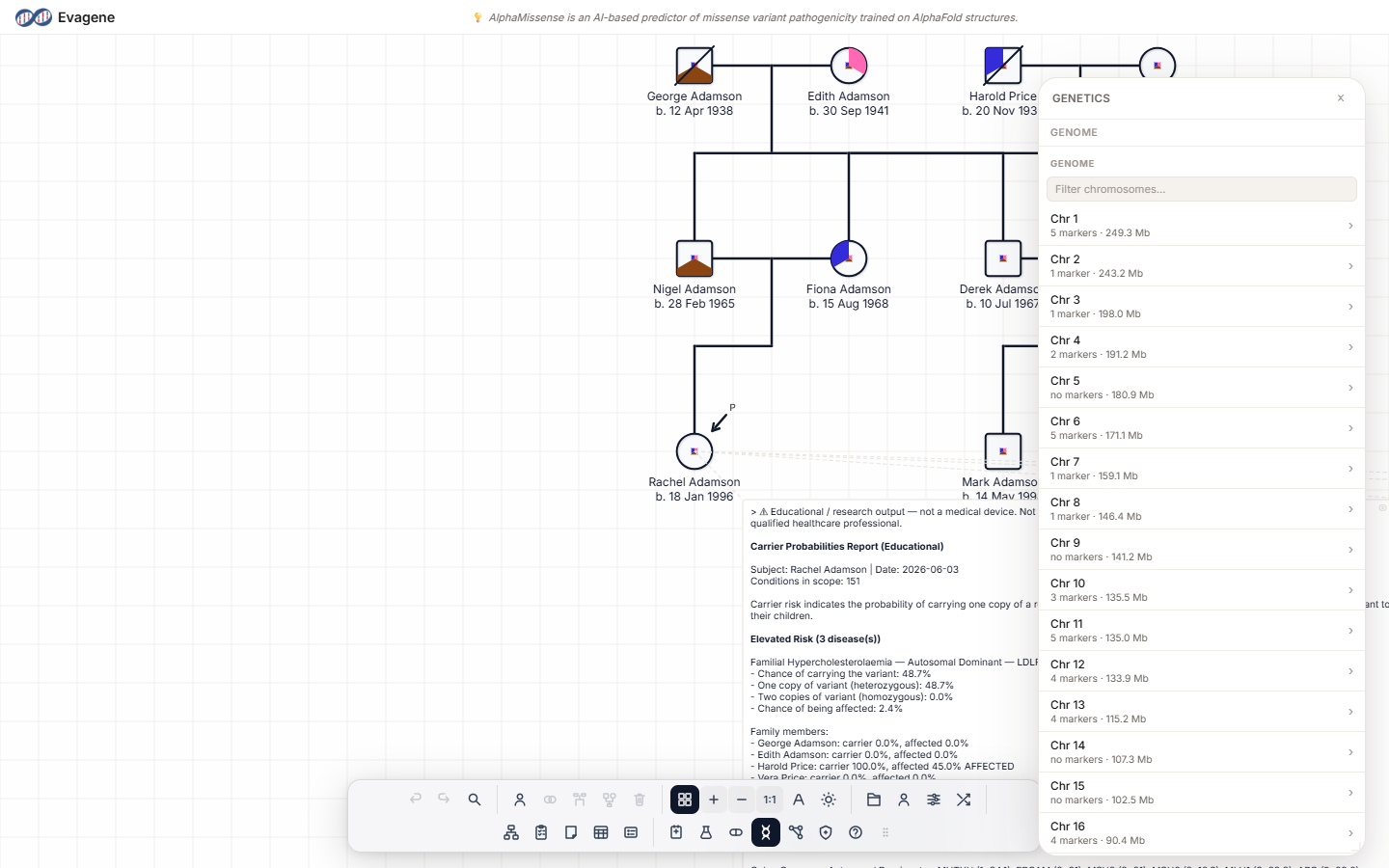
The blade drill-down
The body of the Genetics panel is a column-based drill-down — a “blade” navigator with a breadcrumb across the top. The root column is Genome and lists the chromosomes directly. Click into a chromosome to reveal its markers, click a marker to reveal its detail and linked diseases. The panel widens as you drill deeper, so each new column sits beside the last:
The panel title is Genetics, or Genetics — {name} when an individual is selected. When someone is selected, an individual section also appears with the Karyotype editor and rows for Genetic Tests, Investigations, and Karyogram. Allele pairs and zygosity are entered in the Individual panel’s “Markers” section — the Genetics panel displays them read-only.
In this section
Genetic markers
Catalogue definition · Per-person genotypeDefine a marker on the genome (gene, rsid, band, position), then record an individual’s genotype with allele pairs and zygosity.
Karyogram viewer
Ideogram · Markers plotted by positionAn interactive ideogram of every chromosome with an individual’s markers plotted at their genomic positions, colour- and shape-coded by result.
Karyotype editor
Standard string · Common presetsRecord an individual’s karyotype as a standard string, with one-click chips for the common karyotypes.
Ancestry
Proportions · Educational priorsRecord ancestry proportions per individual; these drive the educational population carrier-frequency priors.
About Evagene. Evagene is an academic, research, and educational pedigree modelling platform. It is not a medical device and is not intended to diagnose, prevent, monitor, predict, treat, or manage disease, or to determine eligibility for screening, testing, referral, or treatment, or to replace professional clinical judgement. Outputs are illustrative and for educational / research purposes only.